How I Use Notion to Organize My Life, Projects, and More
 October 26, 2026
I tend to pick up interests faster than I can finish exploring them. One week I’m fascinated by a new craft, and the next I’m bookmarking a class or dreaming up a product idea. The exciting part is having so much I want to do. The frustrating part? Remembering where I put the pattern, which course I wanted to take first, or why I saved a particular idea in the first place.
In today’s post, I’m sharing how I use Notion to keep up with all those interests and ideas. These eight ways of using it have grown out of my everyday routines, and I’m excited to show you what’s been working for me!
🔍 Continue Exploring These Series →
Table of Contents
- Notion as My Project Hub
- 8 Ways I Use Notion in Everyday Life
- 1. A Home for All My Hobbies
- 2. Tracking Knitting Projects
- 3. Keeping a Reading Log
- 4. Organizing My Board Game Collection
- 5. Planning Activities with My Child
- 6. Finding My Taste in Online Courses
- 7. Keeping Financial Information Organized
- 8. Planning Etsy Products and Creative Work
- Notion Ideas That Make the System Easier to Maintain
- Building a Notion System That Fits Your Interests
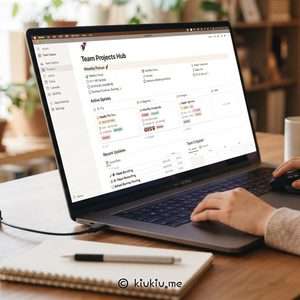
Notion as My Project Hub
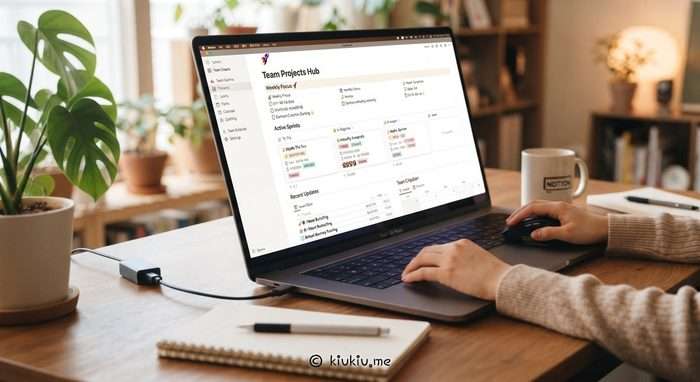
If you search for how to use Notion, you’ll find gorgeous dashboards for almost everything: daily planning, habit tracking, journaling, and more. I can absolutely see how Notion could be an amazing all-in-one planning system! For me, though, its sweet spot has turned out to be organizing projects and information that I want to revisit.
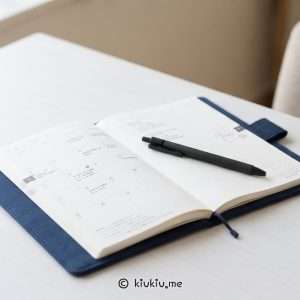
When something time-sensitive pops up, I can quickly drop it into Google Calendar. At home, I love sitting with a paper planner, writing out to-dos and journaling by hand—it’s a little ritual I genuinely enjoy. Notion could absolutely handle those things, too; I simply prefer this combination. I’ve shared more about it in my planning system series, including how the tools fit together in my routine.
What I particularly love about Notion is having a record I can keep building on. A project page can hold its history, references, and decisions in one place, and I can pick up right where I left off. That continuity is the real reason I keep coming back.
8 Ways I Use Notion in Everyday Life
Here are eight ways that system has taken shape in my everyday life. I didn’t design them all at once; most started with a tiny, very practical problem that I wanted to solve.
1. A Home for All My Hobbies
Each hobby has its own Notion page, with a database for things I want to try or learn. If I get curious about cooking, for example, I can list dishes or techniques I’d love to learn. When I actually try one, I open that same entry, add the details and notes, and move its status from Wish to Finished. I love seeing an idea turn into something I’ve actually done!
If an idea stops interesting me, I simply remove it. Each hobby page is a living record, not just a wishlist or a collection of unfinished tasks. It changes as I learn, make things, and move on to something new.
2. Tracking Knitting Projects
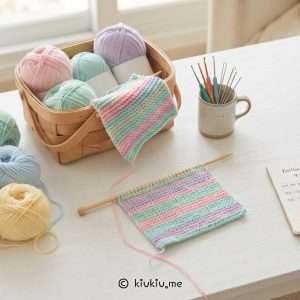
As a hobby becomes part of my regular routine, I sometimes expand its database into something more detailed. My knitting journal is one of the most useful examples. It actually grew out of regret. I crocheted for years without keeping proper records, and looking back, I wish I could remember more about what I made, which materials I used, and what I changed along the way. Once a project was finished, too many of those details simply disappeared.
Knitting convinced me that those little details matter. A pattern link tells only part of the story; I also want to remember the yarn, the needles, the gauge, the adjustments, and the things that didn’t work as expected. When I revisit an old project, those notes can be much more valuable than a finished photo. They let me learn from the choices I made instead of repeating the same experiments.
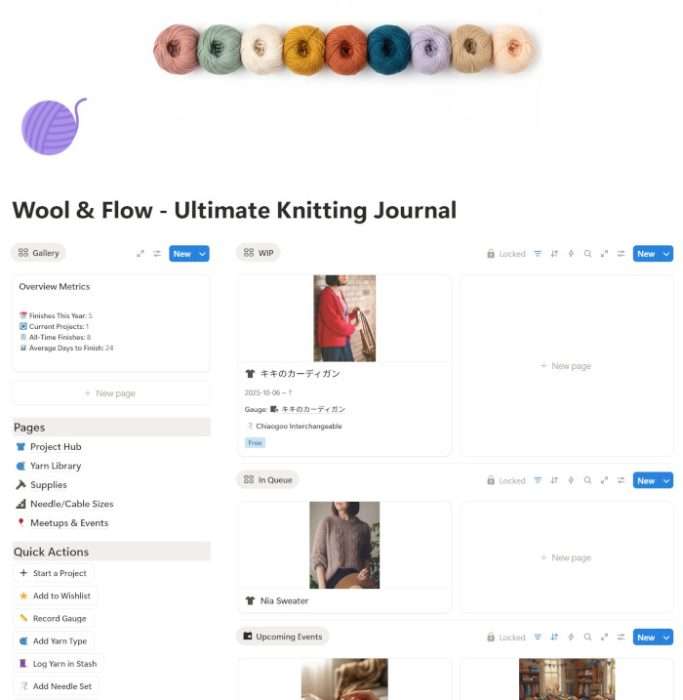
One example still stands out. A knitted top grew more than expected after washing, and I recorded what happened. When I later used the same yarn again, those notes reminded me to pay closer attention to how the fabric might change. That experience is part of why I now take project logging seriously. I share the detailed setup, including how I manage yarn and tools, in my knitting journal Notion template guide.
I eventually turned the system into my Ultimate Knitting Journal for Notion, with space for project records, yarn, tools, and helpful references. The best part is looking back and remembering how each piece came together—not just what it looked like when it was finished.
Shop Ultimate Knitting Journal on My Store
3. Keeping a Reading Log
Books are another place where I like to separate the things I’m curious about from what I’m actively doing. I might hear about a title in a conversation, notice a cover in a bookstore, or save a recommendation online. If I don’t capture it somewhere, chances are I’ll forget it by the time I’m ready to choose my next book.
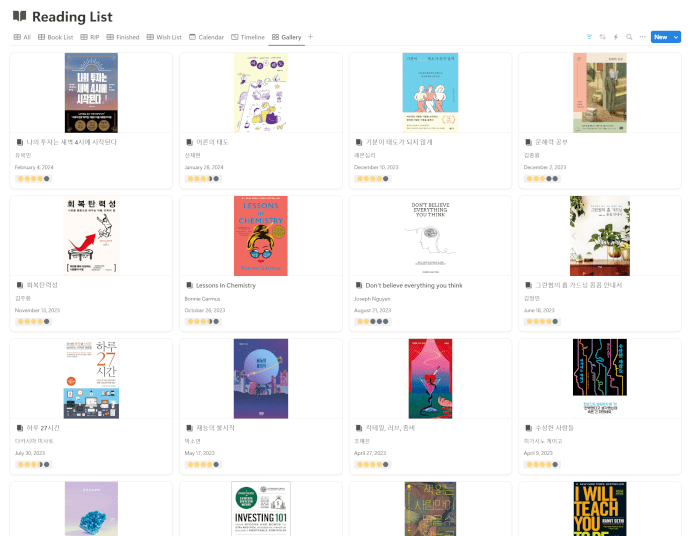
My reading database keeps my wishlist, current reads, and finished books together. For finished books, the feature I use most is the star-rating system. I can look back at the end of the year and immediately spot my favorites! When I want to write a more personal reflection, I actually prefer doing that by hand in my Traveler’s Notebook.
The ratings also make it easier to notice which authors and books I’ve enjoyed most. I built my Minimalist’s All-in-One Reading Tracker around that simple pleasure of looking back at what I loved.
Shop All-in-One Reading Tracker on My Store
4. Organizing My Board Game Collection
I love board games, but I don’t necessarily get to play each one often. And anyone who owns a few games knows what happens when you pull a favorite off the shelf after months away: you remember having a great time, but the rules are suddenly a blur. Before you can start playing, you’re hunting for the rulebook and trying to reconstruct the setup.
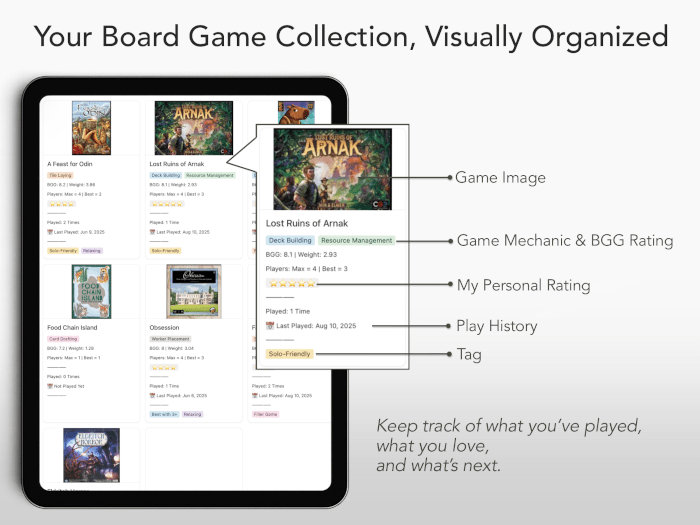
That’s why I started a board game database in Notion. Along with rules and quick reminders, I keep track of the expansions I own—which is surprisingly helpful when a game has several versions or add-ons. Before playing, I can refresh my memory without digging through everything again. I also record plays to see which games make it to the table most often. It’s fun to discover that some unexpected favorites get played far more than others! Those details became the foundation of my Board Game Collection template.
Shop Board Game Collection on My Store
5. Planning Activities with My Child
My child loves crafts, and I’ve been looking for playful ways to combine that interest with early number skills. A counting game feels much more inviting when it involves cutting, gluing, or making something colorful! I kept discovering wonderful activity ideas, but without a system, I’d forget the details before we had a chance to try them.
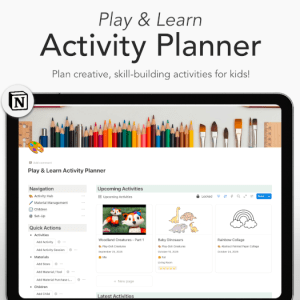
Now I save activities in a database along with the materials needed, preparation time, activity duration, and the skills they support—fine motor skills, number play, and so on. After trying one, I can note whether my child enjoyed it and what I might change next time. The record is useful both before and after an activity.
Craft supplies deserve their own system! I eventually connected a separate database of online and local shops, so I could see what we already had and where we’d found the best prices. When it’s time to restock, I know which supplies to order online and which to pick up locally—no hunting through old notes. That practical side of planning became a big part of my Play & Learn Activity Planner.
Shop Kids Activity Planner for Parents & Teachers on My Store
6. Finding My Taste in Online Courses
Drawing is a good example of why I prefer project-based organization. There are so many classes I want to take that choosing one can become its own distraction. Portraits, fundamentals, watercolor, urban sketching—the more I explore, the longer my wishlist gets. I used to spend too much time wondering where to start and whether I was choosing the right class.
I began creating my own learning path in Notion. I list the courses that interest me, think about what I want to improve, and put them in an order that makes sense for my current goals. As I work through a class, I track what’s in progress and leave notes afterward. This isn’t just about marking a course complete; it’s about remembering how I felt about the teaching and what I actually learned.
The small sense of accomplishment matters more than I expected. Seeing lessons move from my wishlist to in progress and eventually to completed makes a long learning journey feel visible. My notes also help me discover my taste: which teaching approaches keep me engaged, which exercises are worth repeating, and what type of course I want next.
I think this approach could work just as well for languages, music, or any subject that involves lots of practice. It’s one of my favorite Notion ideas for keeping a learning journey moving.
7. Keeping Financial Information Organized
I also use Notion as a personal budget tracker. I built it to organize expenses and savings, and I still use it regularly. The automatic calculations are especially handy—much less time reaching for a calculator!
One recent improvement was adding a visual savings-progress section. Numbers are useful, of course, but seeing how far I’ve moved toward a goal feels different from reading a balance. It makes longer-term progress easier to understand at a glance and gives me a reason to revisit the tracker.
I keep credit card information in the same workspace, too. With several cards, having their details in one place helps when I’m deciding which accounts to keep and which to close.
8. Planning Etsy Products and Creative Work
My Etsy workspace is where my ideas get a chance to grow! I do a lot of brainstorming there, from scribbled concepts and reference images to more developed product plans. Quite a few of those ideas have made it into my shop, while others are still works in progress—and I love being able to see both.
Once an idea starts taking shape, I connect its materials, packaging, costs, production notes, and listing information in Notion. It’s useful having brainstorming and practical planning side by side: I can experiment freely, then get organized when I’m ready to turn an idea into a product.
Notion Ideas That Make the System Easier to Maintain
My favorite rule is to start small. A new database usually begins with a few fields I’ll actually use; I add properties only when I find myself needing them. It’s tempting to build something elaborate from day one, but a simple setup is much more fun to return to.
I switch between table and gallery views depending on what I’m looking at, and I use simple statuses like Wish, In Progress, and Finished. When related information really needs connecting—such as product materials or supplies—I use relations, but I skip extra complexity when a straightforward list will do.
Notion templates are great shortcuts if you want to get started without building everything yourself. I make mine from systems I’ve actually used, and I always encourage adapting them: delete unnecessary fields, rename statuses, and make the workspace your own. That’s when it starts feeling genuinely useful.
Building a Notion System That Fits Your Interests
If you’re wondering how to use Notion for personal use, I’d start with one question: what information do you keep losing, forgetting, or searching for again? It might be the details of a creative project, notes from a class, recommendations you want to explore, or the decisions behind something you’re building.
Start by collecting just that information somewhere you can find it. After a while, you’ll notice what you want to sort, compare, and revisit. Those patterns are a much better foundation for a personal system than copying a dashboard because it looks impressive.
My interests will keep changing, and I expect my Notion workspace to change with them. Some pages will grow, others may disappear, and that’s part of the fun. I’d rather shape the tool around my life than shape my life around the tool.
🌟 Popular Products

📝 Must-Try Journaling Ideas & Inspiration
- Travel Journal Ideas: 8 Creative Ways to Capture Your Trips
- Hobonichi 2027 Lineup Preview: New Covers, Collaborations & Planners
- Sourdough Journal for Home Bakers: Track Starter, Levain, and Bake in One Place
- Kids Activity Planner for Parents: A Summer Schedule for Better Home Days
- Printable Knitting Journal: For Knitters Who Want to Keep Every Project
Want to level up your journaling practice? Explore tips, prompts, and organization ideas: Browse All Journaling Tips
Explore More in Life Plan

Latest Updates:
Featured Videos: