Knitting Journal Notion Template: Your Complete Knitting Tracker
 January 5, 2026
 My knitting life used to look something like this: yarn everywhere, needles hiding in project bags I forgot existed and no clue what modifications I made on the sweater I finished last month. If that sounds familiar, you’re definitely not alone. That’s exactly why I built this knitting journal Notion template, Wool & Flow!
I wanted a simple, tidy space where everything finally made sense—stash, project notes, tools, gauge logs, meetups, all of it in one place. After using it for almost a year, I honestly can’t imagine knitting without it.
In this post, I’ll walk you through what’s inside and how it can make your knitting life a whole lot easier too.
Table of Contents
- What Problems This Template Solves
- Project Difficulties and Missing Records
- Yarn Management Challenges
- Tool and Needle Management Confusion
- Lack of a Personal Knitting Archive
- What’s Inside the Knitting Journal Template
- Projects
- Gauge (Swatches)
- Yarn Library
- Yarn Stash
- Needles
- Cables
- Events / Meetups
- Needle Size and Cable Length Presets
- Dashboard Breakdown
- Overview Metrics
- Page Navigation
- Quick Actions
- Reference Section
- WIP, Queue and Events Views
- Projects This Year
- Current Yarn Stash Gallery
- How I Use This Notion Template
- How Project Logging Helps in Real Situations
- The Joy of Mini Projects with Scrap Yarns
- Turning Knitting Meetups into Little Memories
- How Tool Tracking Solved My Needle-and-Cable Chaos
- Who This Template Is For
- Tips for Customizing Your Knitting Workspace
- How to Get the Template
- A Year of Building This Knitting System
What Problems This Template Solves
Project Difficulties and Missing Records
Knitting projects are full of tiny decisions: needle sizes, pattern tweaks, mistakes you fixed at midnight and swatches that definitely lied to you. These details disappear from memory fast.
I’ve crocheted for years and made tons of projects, yet I can’t recall half of them because I never wrote anything down. Some patterns disappeared entirely, and recreating them later was nearly impossible. With this template, you can record start dates, finish dates, yarn pairing, gauge issues, notes, problems, photos and anything else you want to remember.
Yarn Management Challenges
Yarn has a way of sneaking into your home and quietly multiplying. Before you know it, you have partial balls, forgotten colorways and mystery skeins tucked into drawers you haven’t opened in months. Planning your next project becomes harder because you’re not sure what you already have or how much is left. Tracking grams and yardage after each project is another challenge. This template organizes all your yarn details in one clear system so you can actually use what you own without guessing.
Tool and Needle Management Confusion
Needles, cables and tools add up fast. Whether you use interchangeable sets, DPNs or random hooks you swear you didn’t buy, managing them can get chaotic. Before I made this system, I kept repurchasing the same cable length because I wasn’t sure if I already had it. Now everything is in one place, and each needle or cable is linked to the project it’s being used in. No more digging through drawers or buying duplicates!
Lack of a Personal Knitting Archive
Finished objects deserve a home. Even small projects hold memories—where you made them, why you made them, the yarn you chose. As your skills grow, looking back on your knitting journey becomes genuinely fun. This template acts like a creative archive that brings together your stash, swatches and projects into a story you can revisit anytime.
What’s Inside the Knitting Journal Template
Here’s an overview of the essential databases inside the Knitting Journal template. These sections work together to help you track projects, manage tools, organize yarn information, and keep every detail in one easy-to-navigate space.
Projects
The Projects hub is where everything comes together. Each project page lets you store pattern links, yarn choices, needles, cables, charts, modifications, dates, progress notes and photos. It’s a clean, organized way to track your knitting from cast-on to bind-off.
Gauge (Swatches)
Swatches are small but mighty. Logging them helps you understand fabric behavior, stitch density and whether that yarn was actually lying to you or not. This database keeps your swatch notes tidy with stitch counts, row counts, needle size and comments.
Yarn Library
The Yarn Library is your reference shelf. It stores general yarn info—fiber content, care rules, yardage per skein and recommended needle size. It connects automatically to your stash and projects.
Yarn Stash
This is where your actual yarn lives. Each entry stores colorways, quantities, remaining grams, purchase dates, and more. As you use yarn, the system updates the remaining yardage based on the remaining grams and the yardage-per-skein information from the Yarn Library database.
Needles
Track every needle you own—material, size, length, brand and type. Linking needles to projects keeps everything visible and stops them from mysteriously disappearing.
Cables
Interchangeable needle users, this one’s for you. Log cable lengths, connector sizes, types and brand info. You’ll instantly know which cable you need (and whether you actually own it).
Events / Meetups
Whether you meet up with friends for a casual knit night or join workshops, this database keeps track of dates, goals, notes and photos. It’s a fun way to document your knitting-related memories.
Needle Size and Cable Length Presets
Instead of typing sizes every time, just pick from preset options. It keeps your database clean and consistent.
Dashboard Breakdown
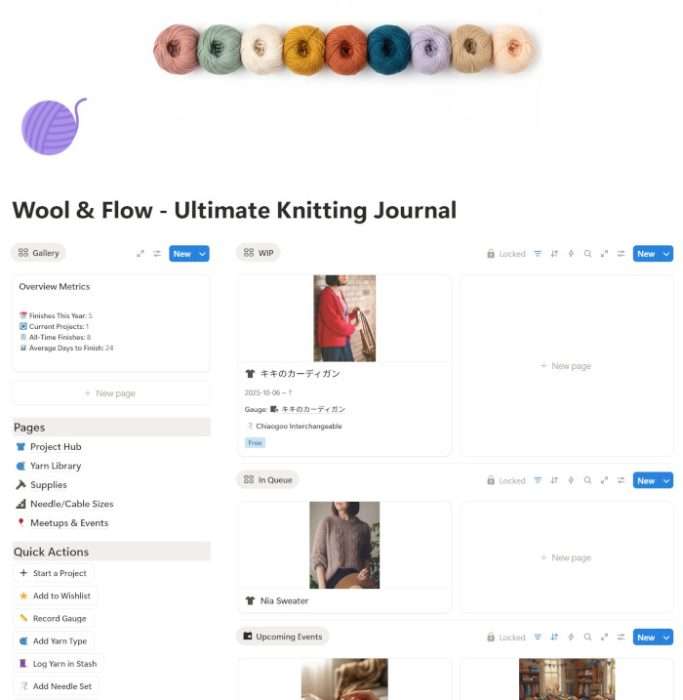
Here’s a quick breakdown of what you’ll find on the main dashboard. Each section is designed to help you navigate your knitting life efficiently—so you can check your progress, add new entries, and access key tools without digging through multiple pages.
Overview Metrics
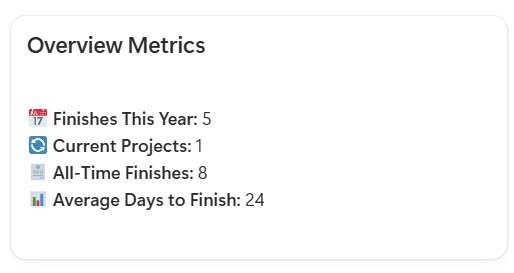
A quick look at your knitting world—active WIPs, projects finished this year, and the average time it takes to complete a project. Honestly, this is what keeps me motivated and makes me want to knit even more!
Page Navigation
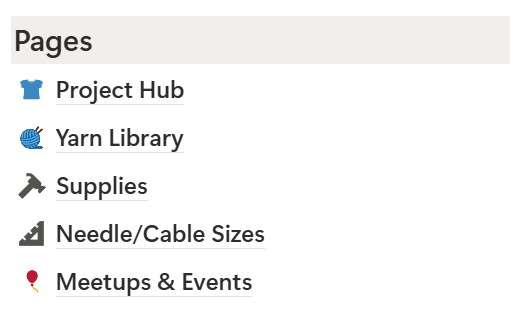
Jump straight to the Projects Hub, Yarn Library, Supplies, or Events pages with one click. No more scrolling through your workspace.
Quick Actions
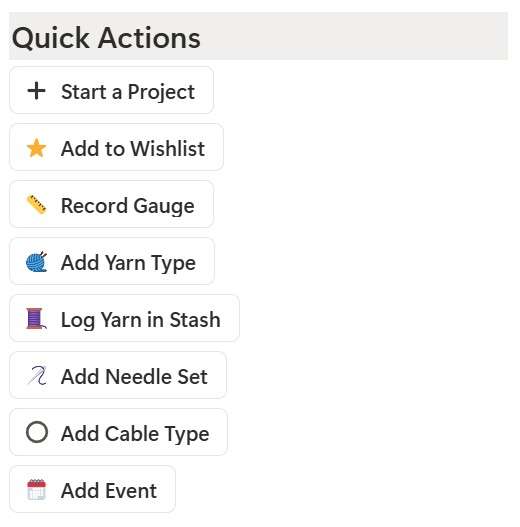
Add a new stash entry, project, gauge swatch, meetup or tool instantly. This keeps the system lightweight and easy to update while you knit.
Reference Section
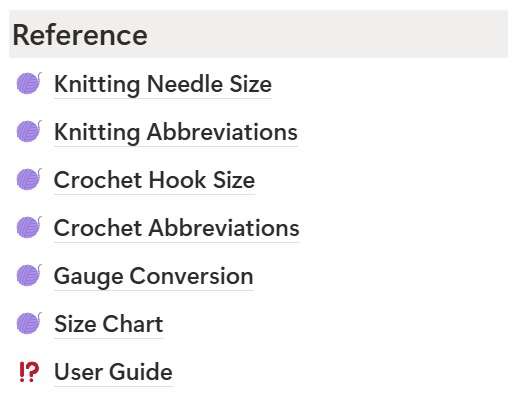
The reference area gives you quick access to gauge conversion charts, size guides, common abbreviations (EN, KR, JP), and a US–JP needle conversion chart. If you read Japanese patterns, this section alone is a lifesaver.
WIP, Queue and Events Views
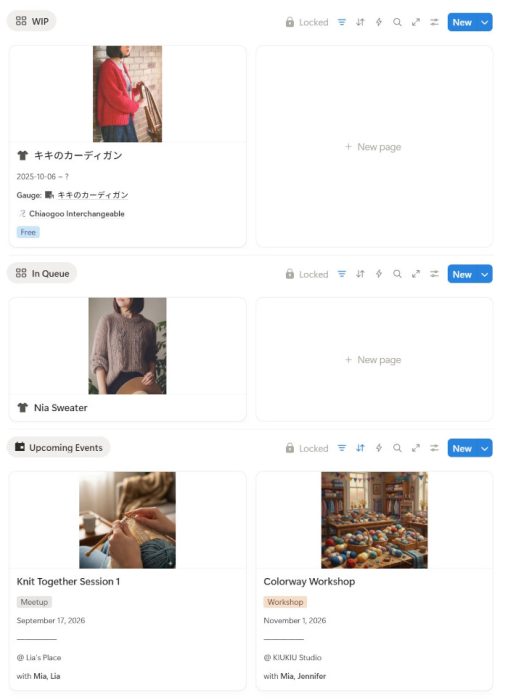
See what you’re working on, what you want to make next and what events are coming up. It keeps everything moving at a comfortable pace.
Projects This Year
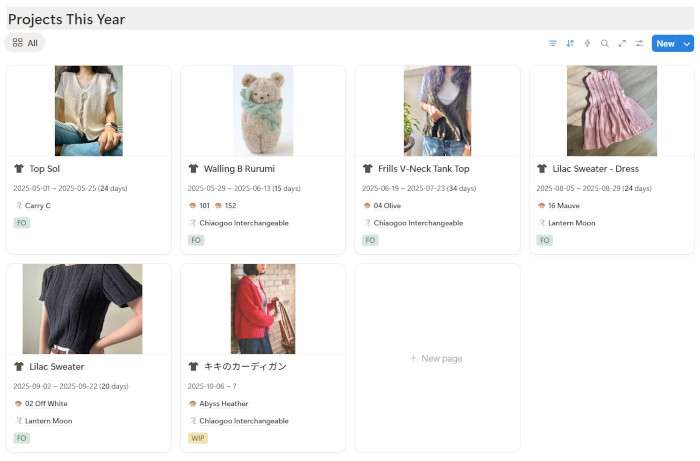
A yearly overview that shows what you’ve made and achieved. It’s also motivating to see how much you’ve finished.
Current Yarn Stash Gallery
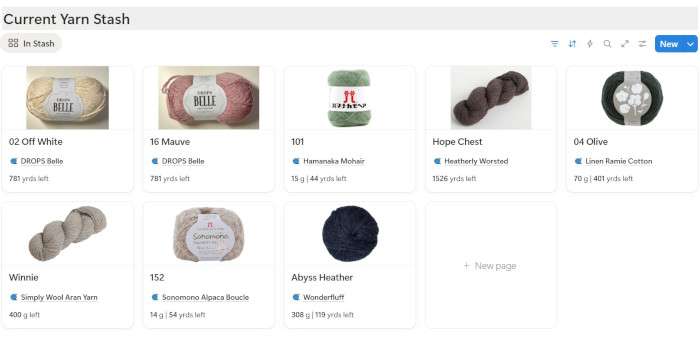
A visual display of all active yarn in your stash makes matching yarn to projects fun and easy.
How I Use This Notion Template
How Project Logging Helps in Real Situations
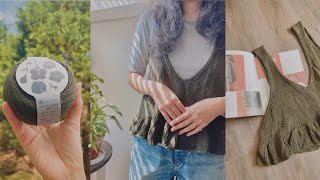
When I was knitting my Camisole No.4, the size grew quite a bit after I washed it. It didn’t ruin the project, but it was definitely unexpected because the swatch didn’t behave that way.
Later, I started knitting Top Sol using the same yarn in a different color. I remembered that I had worked with this yarn before, so I checked the logs for Camisole No.4. After reading the notes about the sizing issue, I adjusted the length to prevent the same problem—and the result was amazing. Top Sol ended up becoming my favorite knitting project of the summer.
📝 Related Posts in This Section →
The Joy of Mini Projects with Scrap Yarns
Leftover yarns can add up quickly. With this system, I rediscovered colorways I completely forgot about. Seeing the exact remaining grams helped me turn leftovers into cup holders and small gifts instead of wasting them. A few quick projects later, my stash felt lighter and more organized.
Turning Knitting Meetups into Little Memories
I like writing down small goals before meetups, like “finish sleeves before next week.” I can also upload photos afterward, which turns each meetup into a little journal entry. Over time, it becomes a scrapbook of your knitting life.
How Tool Tracking Solved My Needle-and-Cable Chaos
I usually buy individual supplies instead of full sets. Shopping for hooks, needles, or cables after picking a pattern always makes me feel like I’m “preparing,” but it also meant my tools were scattered in different pouches. I constantly had to check whether I had the right size or length for a new project, which became frustrating over time.
Now, everything is tracked and linked in one place. I can instantly see what I own, what’s in use, and what’s not. Each tool page also includes notes on its characteristics—like which yarns it pairs well with or how to care for it—so choosing the right tools for a project is much easier. It keeps my workspace cleaner and saves a lot of stress.
Who This Template Is For
- Beginners starting their knitting journey
- Intermediate knitters with a growing stash
- Knitters who enjoy both crochet and knitting
- Multi-project knitters
- Social knitters who join meetups or workshops
Tips for Customizing Your Knitting Workspace
- Stash Tracking: update remaining grams after each project
- Pattern Linking: attach Ravelry links, PDFs or blogs directly in project pages
- Gauge Conversion: use the table to adjust stitch counts when switching needles or yarn
- Reference Section: add your own abbreviations or measurements to personalize the dashboard
How to Get the Template
You can access the full knitting journal Notion template through the link below. Open the page and click Duplicate in the upper-right corner to add it to your Notion workspace.
Shop Ultimate Knitting Journal on My Store
You’ll instantly get the full dashboard, projects hub, stash tracker, gauge logs, needle and cable databases and every reference page included in this guide.
A Year of Building This Knitting System
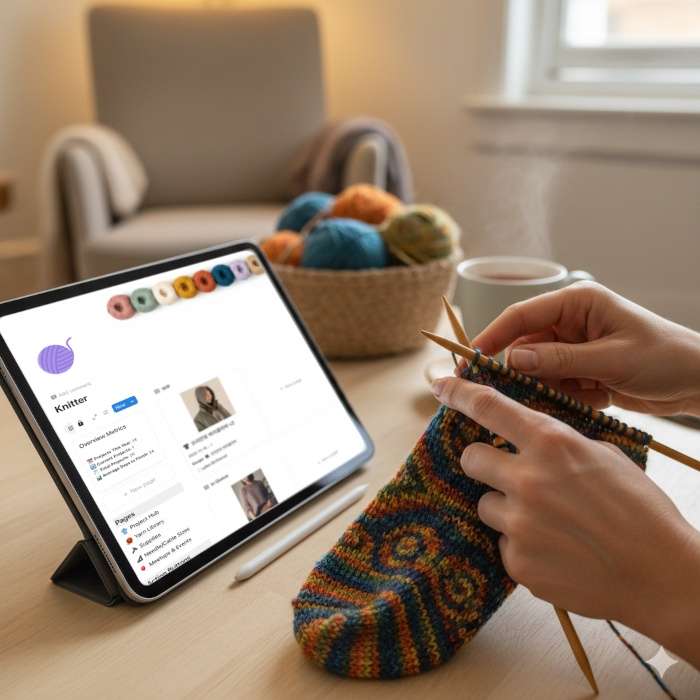
This knitting journal Notion template was built to bring clarity and joy back into the knitting process. By keeping your projects, yarn, tools, and memories in one place, you get a smoother and more enjoyable workflow.
I gradually developed this system over the past year while logging my own projects, making changes each time I noticed something missing or needed something easier. It became a part of my knitting journey, and I hope it becomes just as helpful and supportive in yours.
🛍 KIUKIU Store Picks & Updates
- Notion Board Game Tracker: Best Way to Organize Your Collection
- Kids Activity Planner for Parents & Teachers (Notion Template)
- Korean Alphabet Worksheets: Printable Hangul Workbook
Curious about my latest product releases? Browse all kiukiu store posts for announcements and updates.
🧶 Must-Try Knitting & Crochet Projects
- Bottom-Up Cardigan Knitting FO: My First Fall Project
- Last Knitting Project This Summer: Lightweight Sweater Pattern
- My Favorite Things: Camisole No.4 — Simple Camisole Knitting FO
- Granny Square Cardigan FO: The Final Touches
- Modifying My Crochet Granny Square Cardigan for a Perfect Fit
- JHIA vs. TKGA: Which Knitting Certification Is Right for You?
- JHIA Knitting Certification: Is It Right for You?
- My Granny Square Cardigan Journey: Stitch by Stitch
Ready to start your next knitting project? Explore patterns, tutorials, and ideas for inspiration: Browse All Knitting & Crochet Projects
🕒 Must-Try Productivity & Time Management Tips
- Morning Pages Prompts: 100-Day Journaling Challenge (Free Download)
- Free Mandala Chart Template for Your New Year Goals
- Time Tracker for Hobonichi Weeks & A6 (Free Download)
- JLPT Study Planner with Hobonichi: Timeline and Layout Tips
- Start a Miracle Morning Routine: My Honest Journey
Want to manage your time better and stay productive? Explore practical tips and simple time-saving strategies: Browse All Productivity Tips
Explore More in Creativity


Explore More in KIUKIU



Featured Videos: